Paint 3D vs MS Paint: Which Microsoft Editing Tool Is Best in 2026?
In 2026, if you are also looking for simple image editing on Windows, then you are not alone because two famous tools, Paint 3D vs MS Paint, have overtaken most software. Both tools are developed by Microsoft and included with Windows operating systems, but they serve different purposes for digital drawing, image editing, and basic graphic design.
Most Windows users are comfortable with MS Paint for quick editing like screenshots, resizing images, and simple drawings. However, Paint 3D was introduced as an updated version that allows users to create 3D models, stickers, and textured graphics.
However, the situation changed after Paint 3D was discontinued in the Microsoft Store in 2024, while the classic Paint app continues to receive updates and new features, such as layers and backgrounds.
In this article, I will compare Paint 3D vs MS Paint based on features, performance, and uses.
What is Microsoft Paint (MS Paint)?
Microsoft Paint, often called MS Paint, is a lightweight raster graphics editor. It is designed for simple drawing, screenshot editing, and basic image manipulation. According to Microsoft’s stats, more than 900 million people used Paint in 2023. The modern Windows 11 version of Paint includes advanced features and use only 22mb RAM.
MS Paint Features
- Pencil, brush, and airbrush drawing tools
- Shape tools and color palette
- Image cropping and resizing
- PNG transparency support
- Layer support for non-destructive editing
- AI background removal
The addition of layers and transparency support has improved the traditional paint workflow, which allow the users to organize image elements separately.
What is Paint 3D?
It is a creative drawing application launched in 2017 with the Windows 10 Creators Update. Unlike MS Paint, it focuses on 3D modeling and 2D design, making them accessible to everyone. This software includes Texture painting, 3D modeling, and over 0.5 million 3D models from Remix3D. However, the major negative impact is that Paint 3D uses 380 MB of RAM and runs slowly.
Microsoft discontinued Paint 3D on November 4, 2024. It’s no longer available in the Microsoft Store. If you have it installed, it still works – but there are no more updates or security patches.
Paint 3D Main Features
- 3D object creation and modeling
- Texture painting on 3D shapes
- Magic Select object extraction
- Sticker and texture library
- 3D text and lighting effects
- Export support for 3D file formats
Paint 3D vs MS Paint: Core Difference
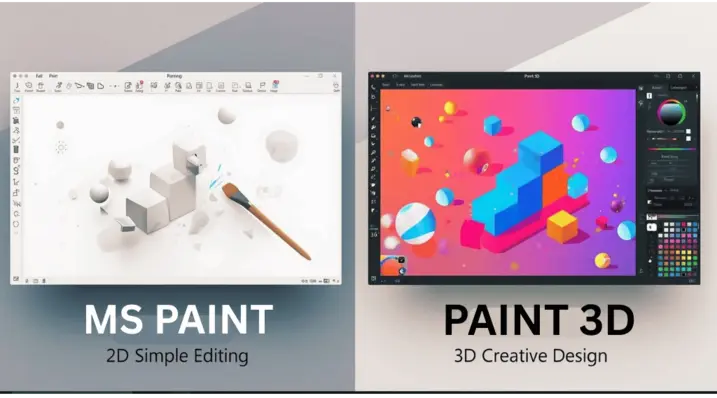
The main difference between MS Paint and Paint 3D lies in the type of graphics.
| Feature | MS Paint | Paint 3D |
|---|---|---|
| Graphics type | 2D image editing | 2D + 3D design |
| Performance | Very lightweight | Heavier |
| Drawing tools | Basic brushes | Textured brushes |
| 3D objects | No | Yes |
| Layer support | Available | Available |
| Updates | Active | Discontinued |
MS Paint focuses on speed and simplicity, while Paint 3D focuses on creative experimentation with 3D elements.
Performance Comparison
Performance is a major factor in the Paint 3D vs MS Paint debate.
MS Paint is extremely lightweight and use minimal system memory. Paint 3D, on the other hand, consumes more RAM due to 3D rendering features.
Performance Overview
| Metric | MS Paint | Paint 3D |
|---|---|---|
| Startup time | 0.4 seconds | 0.9 seconds |
| RAM usage | 22 MB | 380 MB |
| Best for | Quick edits | Creative projects |
For everyday tasks like editing screenshots or resizing images, MS Paint are more faster and efficient.
User Interface and Ease of Use
The user interface is another major difference.
MS Paint UI
- Minimal interface
- Simple toolbar layout
- Beginner-friendly workflow
Paint 3D UI
- Modern design
- Multiple panels and tools
- 3D workspace controls
Paint 3D offers more creative tools, but it is more complex compared to the straightforward design of MS Paint.
When to Use MS Paint
MS Paint is the better choice when you need:
- Fast screenshot editing
- Basic drawing tools
- Image cropping and resizing
- Lightweight software on older PCs
- Simple graphic annotations
When to Use Paint 3D
Paint 3D is useful if you want to:
- Create simple 3D shapes
- Design playful educational graphics
- Apply textures and stickers
- Rotate text or objects in 3D space
However, for serious 3D design work, users usually switch to professional software like Blender.
Pros and Cons
MS Paint Pros
- Extremely fast
- Beginner friendly
- Low system usage
- Regular updates from Microsoft
MS Paint Cons
- Limited advanced editing tools
- No built-in 3D modeling
Paint 3D Pros
- 3D object creation
- Magic Select cut-out tool
- Texture and sticker library
Paint 3D Cons
- High RAM usage
- Slower performance
- No longer officially supported
Conclusion of Paint 3D vs MS Paint
The Paint 3D vs MS Paint comparison has changed over the past few years. Paint 3D introduced innovative ideas like 3D drawing and Magic Select, but its discontinuation has reduced its relevance. Meanwhile, Microsoft has advanced the classic Paint application with layers, transparency support, and AI tools.
For most users in 2026, MS Paint is the better everyday image editor because it is fast, lightweight, and actively maintained. Paint 3D still has value for experimentation with 3D graphics, but for daily tasks, the classic Paint experience remains the preferred choice.